What a 3D model actually is
A 3D model is a hollow net of triangles. Here's what that means, and why games want so few of them.
This is the first article in a short series aimed at being a crash course for anyone who is new to the world of 3D modelling. I'll be covering
- What a 3D model is (this article)
- A high level overview of Topology and why that's such a big thing in game asset generation
- How to have our cake and eat it - a low triangle (poly) count but with a good looking 3D model
- Why auto topology isn't where we need it to be - yet
- Some learnings over the last 6-8 weeks of building AssetFurnace - what worked, what didn't and what shows promise
It's written to be a very high level primer that explains concepts in simple terms. If this interests you, share it with people who might be interested. And don't forget to check the others out in the series.
I might also get into some interesting topics in the spatial computing space - as that's an area that interests me. And the best way to learn is to try and explain it to others.
Anyway, let's dive in.
When we think of a 3D model we all picture a cool looking object in 3D space. But what exactly is that object? Every 3D model in a game is a mesh: a net of tiny triangles draped over a shape. The tiny triangles are the important part.
Three words do all the work:
- Points (also called vertices) sit at exact spots in 3D space.
- Edges are the straight lines joining two points.
- Faces are the triangles those edges make.
That's it. There's nothing inside. A mesh is a hollow skin, like a chocolate Easter egg. The game only ever draws the outside.
There's already a problem with this idea of triangles. They're flat surfaces. Great for a Cybertruck, not so much for Michelangelo's David.
More triangles, better the shape
A ball made of 20 triangles looks like a gem. Make it 5,000 and it looks round. More triangles follow the shape more closely. This is true of our reality too. A circle looks smooth to the eye, but zoom in and it's made of tiny steps. But there's so many of them that as you zoom out they look smooth. Same idea here, the more triangles the better.
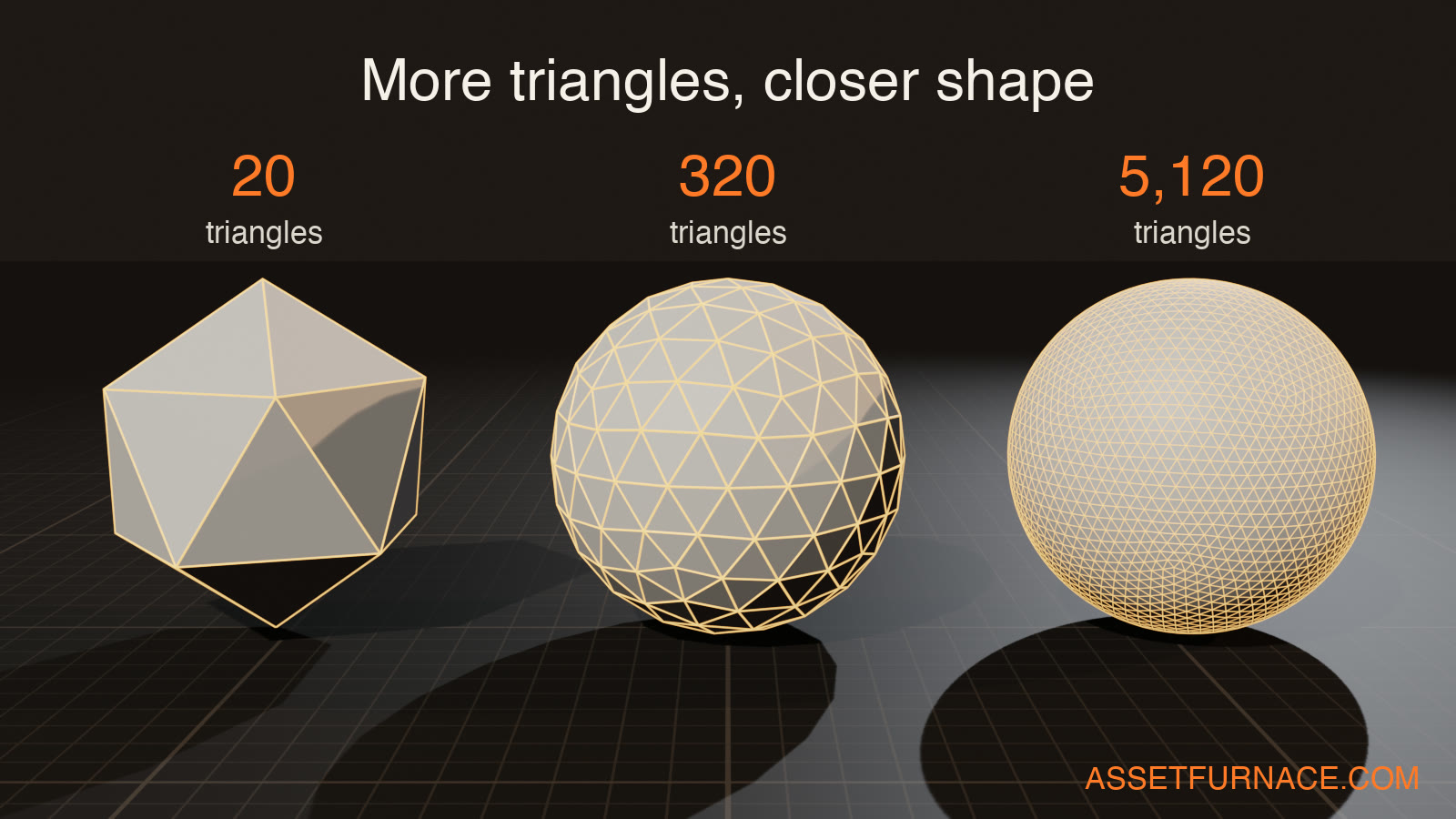
So why not use millions? Because of how graphics cards work. They compute each triangle in a scene and have to work out where each point lands. GPUs do this calculation for every point in an object in a scene, 60 times a second. So double the triangles, double the effort. Bigger files mean more memory too.
Moving characters cost more
Then there's the issue of movement. A statue is cheap. Every point gets the same move, like stamping a picture.
A character that moves on the other hand is expensive. There's a few different things at play here and we'll touch upon this in subsequent articles, but suffice to say that the movement of each point is determined by how the bones move and its relation to the bones. And multiple bones can move the same point in different proportions. This is all computational work the GPU has to do each time a character moves in a scene. Imagine a 3D object with millions of triangles moving at 60 frames per second, and for each point the GPU has to calculate how much it will move based on the movement of the related bones; it moves 40% in direction A by Bone-X and 60% in direction B by Bone-Y - that's an insane amount of math. And the GPU does this for every point, every frame, as long as the character is animated. Now multiply that with the number of such characters in the scene. GG. GPU is toast.
Attaching a mesh (those points we discussed above) to its skeleton is called skinning. The blend for each point is its weights. Get the weights wrong and the elbow folds like a crushed straw.
(Confusingly, game "skins" usually means outfits. Painting a model is called texturing.)
Why AI-made models are so heavy
Image-to-3D tools build a model by slicing it out of a fine 3D grid. Every little cube the surface touches gets triangles. That means:
- Same size triangles everywhere. A flat back gets as many as a nose.
- No plan. Long thin slivers, random angles.
Going back to the point on detail - more triangles, better shape - which is good for things that need detail. But is also an expensive overhead when fewer triangles can do the job for simple shapes. Back of a character vs its nose or eyes, for example.
An artist does the opposite: a few big triangles on flat areas, lots of small ones on the nose, eyes and ears. Like a road map, where a motorway is one line and a mountain pass is a hundred zig-zags.
Image-to-3D models are basically cousins of diffusion models - and instead of working with pixels they work with voxels. The heavy triangle count comes from how the shape produced at the end of their steps gets sliced out of a fine grid. Every cube (voxel) the surface edge touches gets triangles. Without any real thought on what kind of surface. Very impressive to get a 3D model of a picture you put in, looking almost exactly the same. The trade-off is that this is great to look at and play around with - but for game development or anything that requires manipulation and interaction in a 3D space, it's not practical.
A raw model from a generator, depending on the generator, is around a million triangles. A game character is more like 5,000 to 40,000. Getting from one to the other, without wrecking the model, is basically what Tripo, Meshy, Rodin and all claim as their party trick (They're awesome btw). And that's what we'll cover in the next few articles.
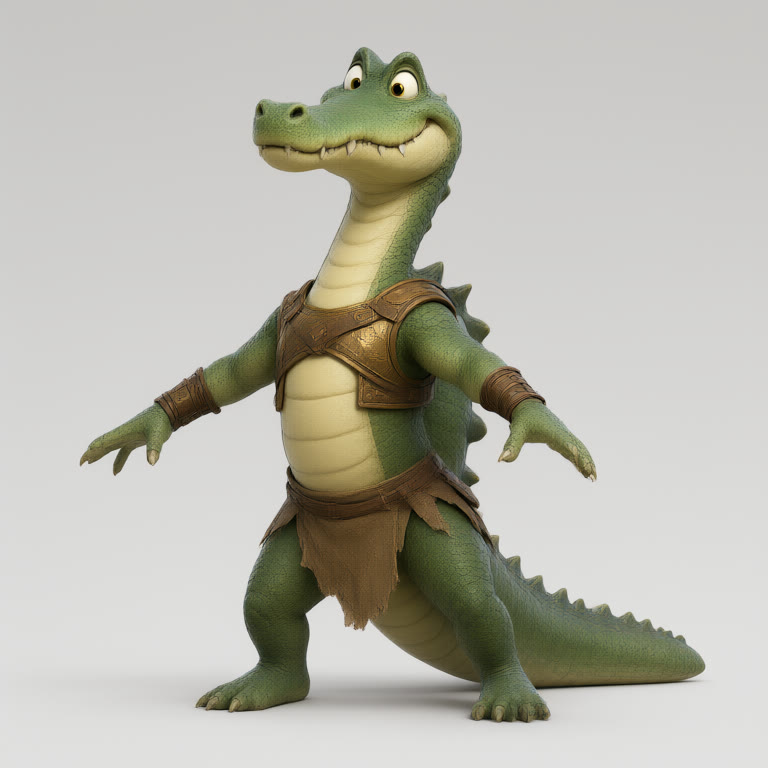
TL;DR: a 3D model is a hollow net of triangles. More triangles look better but cost more, and moving characters cost the most. AI generators give you a beautiful model with far too many triangles in all the wrong places.
Next up: Topology!